<?xml version="1.0" encoding="utf-8"?><feed xmlns="http://www.w3.org/2005/Atom" ><generator uri="https://jekyllrb.com/" version="3.10.0">Jekyll</generator><link href="https://danielstegeman.github.io/blog/feed.xml" rel="self" type="application/atom+xml" /><link href="https://danielstegeman.github.io/blog/" rel="alternate" type="text/html" /><updated>2026-05-28T11:02:29+00:00</updated><id>https://danielstegeman.github.io/blog/feed.xml</id><title type="html">Daniël’s Blog</title><subtitle>Software engineering insights on C#, .NET, Azure, and sustainable architecture</subtitle><author><name>Daniël Stegeman</name><email>Connect via LinkedIn</email></author><entry><title type="html">Boosting agent skills with scripts</title><link href="https://danielstegeman.github.io/blog/2026/05/27/Boosting-agent-skills-with-scripts/" rel="alternate" type="text/html" title="Boosting agent skills with scripts" /><published>2026-05-27T12:00:00+00:00</published><updated>2026-05-27T12:00:00+00:00</updated><id>https://danielstegeman.github.io/blog/2026/05/27/Boosting-agent-skills-with-scripts</id><content type="html" xml:base="https://danielstegeman.github.io/blog/2026/05/27/Boosting-agent-skills-with-scripts/"><![CDATA[<p>The agentic development toolbox is expanding almost weekly. Skills, agents, MCPs, instructions — new capabilities keep arriving, and the space of what you can delegate to an agent keeps growing. Over the past few months, I have translated a growing set of recurring tasks into dedicated skills: managing Azure DevOps pipelines, summarising pull request review comments, handling complex git operations, generating expense overviews from receipts, and setting up local development environments in WSL. As I explored in my post on <a href="/blog/2026/03/05/Evolving-the-copilot-workspace/">evolving the Copilot workspace</a>, skills have become the primary building block of how I work. But how do I ensure those skills are reliable enough to trust with important work? The answer, in many cases, is scripts.</p>

<p><img src="/blog/assets/images/2026-05-27/image.png" alt="PowerShell script filtering Azure DevOps pull request threads, stripping TFS push-notification noise and keeping only reviewer comments" /></p>

<h2 id="scripts-as-guardrails">Scripts as guardrails</h2>

<p>When I first started building out these skills, I leaned heavily on MCP servers to give agents access to external tools and data. I also let the agent execute many commands directly. From Azure CLI, to SQL and Git commands. MCPs and commands are powerful, but that flexibility cuts both ways. Too many available tools reduce reliability. The agent has to pick the right one, in the right way, with the right parameters, every time. More choices means more opportunities to go wrong.</p>

<p>Rather than letting the agent freely compose commands on the fly, I give it a script with a defined interface. The agent calls it with parameters; the script does the work. I can read the script, test it independently, and know exactly what will happen when the agent runs it. That kind of predictability is what makes me comfortable delegating tasks I would never hand over to an agent otherwise. It prevents the scenario that has become an increasingly popular genre of cautionary blog posts: “How I accidentally deleted my entire database with an AI agent.”</p>

<p>Scripts define the exact surface area the agent can touch. You are not running in full autonomous mode, but you are not babysitting every tool call either. You are building a controlled interface between agent intent and system behaviour.</p>

<h2 id="shrinking-the-context-window">Shrinking the context window</h2>

<p>Reliability gets you to the point where the agent does the right thing. But raw API responses are not designed with the context window in mind, and that creates a second class of problems.</p>

<p>Take my pull request review skill. The Azure DevOps “List pull request threads” call returns roughly 90 KB of JSON for a single PR. Nearly half of that, 48 out of 100 threads, is TFS push-notification noise: threads with no reviewer status, auto-generated by Azure DevOps for every commit pushed to the branch. The agent has to wade through all of it to find the 52 actual reviewer comments it needs. As I wrote in my post on <a href="/blog/2026/01/21/beginners-guide-to-context-engineering/">context engineering fundamentals</a>, context degradation is a real risk. Filling the window with noise is a reliable way to trigger it.</p>

<p>So I replaced that raw MCP call with a PowerShell filter script. It strips the noise and reformats the real reviewer threads as compact plain text. The payload drops from roughly 90 KB to 17 KB, a 5.3x reduction, before anything reaches the model context. The agent calls one script, gets structured output, and gets to work.</p>

<p>When Copilot’s updated pricing model comes into effect next month, I will likely update my scripts to convert JSON to <a href="https://github.com/toon-format/toon">TOON (Token Optimized Output Notation)</a> for even greater efficiency.</p>

<h2 id="where-scripts-shine">Where scripts shine</h2>

<p>The expense overview skill is the clearest example of something that simply cannot be done without code. Writing structured data into an Excel template with correct formatting, formulas, and layout is too complex for any current agent to get right purely through tool reasoning. A Python script handles it cleanly every time. The agent gathers the receipts, extracts the relevant data, and hands it to the script. The script produces a correctly formatted file. No improvisation required.</p>

<p>The WSL development environment setup uses Bash. The Azure DevOps workflows use PowerShell. The choice of scripting language matters less than the principle: give the agent a reliable, testable interface to a complex operation rather than asking it to improvise.</p>

<h2 id="the-cost-of-control">The cost of control</h2>

<p>Scripts do give up something: adaptability. An agent with access to raw tools can adjust when something unexpected happens. A script with a fixed interface cannot. This approach works best on workflows that are well-defined and repeatable. The expense overview, the PR comment filter, the environment setup. These tasks have a known shape, and for them predictability is more valuable than flexibility.</p>

<p>There is also the classic risk: “but it works on my machine.” Scripts have dependencies, environment assumptions, and sometimes hardcoded paths. However, I have found that using agentic development to maintain the scripts themselves largely solves this problem. Updating or improving a script takes a matter of seconds when you have an agent helping. The meta-skill, using agentic development to evolve your own skills, closes the loop surprisingly well.</p>

<h2 id="building-the-reliable-layer">Building the reliable layer</h2>

<p>A clean separation of concerns emerges from this approach. Skills define the what and the when. Scripts define the how. Keeping those two concerns distinct is what makes agentic workflows scale beyond simple demos into automation you can actually trust.</p>

<p>As agents become more capable and the tasks we delegate to them carry more weight, building that reliable layer becomes more important, not less. The question is no longer whether agents can do complex work. It is whether you have built the scaffolding that makes it safe to let them.</p>]]></content><author><name>Daniël Stegeman</name><email>Connect via LinkedIn</email></author><category term="technical" /><category term="productivity" /><category term="agentic-development" /><category term="github-copilot" /><category term="skills" /><category term="scripts" /><category term="mcp" /><category term="powershell" /><category term="token-efficiency" /><category term="developer-workflow" /><summary type="html"><![CDATA[The agentic development toolbox is expanding almost weekly. Skills, agents, MCPs, instructions — new capabilities keep arriving, and the space of what you can delegate to an agent keeps growing. Over the past few months, I have translated a growing set of recurring tasks into dedicated skills: managing Azure DevOps pipelines, summarising pull request review comments, handling complex git operations, generating expense overviews from receipts, and setting up local development environments in WSL. As I explored in my post on evolving the Copilot workspace, skills have become the primary building block of how I work. But how do I ensure those skills are reliable enough to trust with important work? The answer, in many cases, is scripts.]]></summary><media:thumbnail xmlns:media="http://search.yahoo.com/mrss/" url="https://danielstegeman.github.io/blog/blog/assets/images/2026-05-27/image.png" /><media:content medium="image" url="https://danielstegeman.github.io/blog/blog/assets/images/2026-05-27/image.png" xmlns:media="http://search.yahoo.com/mrss/" /></entry><entry><title type="html">Evolving the GitHub Copilot workspace as a team</title><link href="https://danielstegeman.github.io/blog/2026/03/05/Evolving-the-copilot-workspace/" rel="alternate" type="text/html" title="Evolving the GitHub Copilot workspace as a team" /><published>2026-03-05T12:00:00+00:00</published><updated>2026-03-05T12:00:00+00:00</updated><id>https://danielstegeman.github.io/blog/2026/03/05/Evolving-the-copilot-workspace</id><content type="html" xml:base="https://danielstegeman.github.io/blog/2026/03/05/Evolving-the-copilot-workspace/"><![CDATA[<p>As agentic development gains an ever stronger foothold in my personal development workflow, I have started to run into issues with managing all my different agent files, skills and instructions. I like to move fast and experiment with different approaches, which means I have a lot of different kinds of agents, instructions and skills that I want to keep track of.</p>

<p>However, I am still working within a single repository used by many more than myself. Keeping them in a separate branch is a hassle when switching often and can lead to accidental merges. But fully including them in the merge process is also not ideal, as they are often in a state of flux and not ready for use by others.</p>

<p><img src="/blog/assets/images/2026-02-20/image.png" alt="Garden with a messy field and a well-maintained field, illustrating the concept of organizing a workspace for growth and evolution" /></p>

<p>I would definitely agree that you should not just check in any old crap into the main branch. But reviewing and perfecting them each time is also not ideal, as I will have evolved them further by the time they are ready for use. Also, not everyone is on the same skill level when it comes to agentic development.</p>

<p>So I have been in search for answers to these problems for a while now. I think it comes down to organising the Copilot workspace with some specific considerations in mind.</p>

<h2 id="copilot-folder-structure">Copilot folder structure</h2>
<p>Months ago, when GitHub Copilot was still quite new, you had to put all your agents (chat modes back then), instructions and prompts in the ./github folder in your repository. I had never questioned that structure until I started running into the aforementioned problems. But it turns out, you can actually have a folder outside of the repository to be used for agents and skills. But why only those two? Why not also instructions and prompts? That made me start to think some more about the actual purpose of each of the different types of files.</p>

<h2 id="personal-workflow-vs-team-processes">Personal workflow vs team processes</h2>
<p>This discovery led me to reconsider the fundamental purpose of each file type. I think the main consideration on where a Copilot customization fits, is whether it is part of your personal workflow, or whether it is something that follows an established team process. If it is the former, it should be kept outside of the repository. If it is the latter, it should be kept inside of the repository and agreed upon by the team. This is not a hard rule, but I think it is a good starting point for deciding where to put what.</p>

<p>So let’s look at the different types of files and see where they fit in this consideration.</p>

<h3 id="prompts">Prompts</h3>
<p>Prompts are one of the oldest types of customization for Copilot. They were around before agentic development was even a thing. I consider them to be pretty obsolete in the year of Context Engineering. There is nothing you cannot achieve with any of the other types, so I don’t use them anymore.</p>

<h3 id="instructions">Instructions</h3>
<p>Instructions are a more recent addition to the Copilot customization options. I think of these files as a good place to put general guidelines on how to write the code. This is something that is part of the team process, so it should be kept in the repository. You already have at least some established coding conventions, even if they are not documented. Putting them in an instruction file makes them more explicit and easier to follow for everyone, including AI agents.</p>

<h3 id="agents">Agents</h3>
<p>Until now, I have mostly used agents for defining behaviour and context. But now I have started using skills for reusable context, I have started to see agents more as a place to orchestrate behaviour. These have been the biggest topic of discussion in my team. The workflow they contain is very personal, so there is no correct definition. It defines how the agent has to work and present information in a way that is most useful to me, so I can control that it does what I want it to do. Over time, the best aspects of personal workflows can be adopted by the team and become part of the team process. Then, you can take those aspects and put them in the instructions or skills. This gives you a scoped piece of the workflow, without needing every detail to be perfect.</p>

<h3 id="skills">Skills</h3>
<p>Skills are the newest type of customization for Copilot. Anthropic originally introduced them for Claude, and they have since been adopted by GitHub Copilot as well. To me, this is a modern variant of the old prompts. They are a good place to put reusable pieces of context or instructions that can be easily called by agents. Skills can be part of your personal workflow or team processes, depending on their purpose and usage. If a part of your personal workflow is shared by more agents, it can be put in a personal skill. <a href="https://github.com/github/awesome-copilot/blob/main/agents/gilfoyle.agent.md">Like having the agent review your code like Gilfoyle from Silicon Valley</a>. 
When it is an established part of the team process, like how to refine a user story or how to write a test, it should be put in a team skill.</p>

<h2 id="organizing-for-evolution">Organizing for evolution</h2>
<p>The key insight is that Copilot customizations should be organized by their scope and stability. Personal workflows and experimental approaches belong outside the repository where they can evolve freely. Team processes and established conventions belong inside the repository where they can be reviewed and agreed upon collectively.</p>

<p>Now that I have this framework, I am going to rewrite my agents to use more, smaller skills. This will make them more modular and easier to maintain. It will also make it easier to share the best parts of my personal workflow with the team, without needing to share every detail. As teams increasingly adopt agentic development, having this clear separation will become essential for managing the complexity that comes with it. My current agents have served me well, but it is time to put them on a diet.</p>]]></content><author><name>Daniël Stegeman</name><email>Connect via LinkedIn</email></author><category term="technical" /><category term="productivity" /><category term="agentic-development" /><category term="github-copilot" /><category term="ai-agents" /><category term="copilot-skills" /><category term="team-collaboration" /><category term="developer-workflow" /><category term="context-engineering" /><summary type="html"><![CDATA[As agentic development gains an ever stronger foothold in my personal development workflow, I have started to run into issues with managing all my different agent files, skills and instructions. I like to move fast and experiment with different approaches, which means I have a lot of different kinds of agents, instructions and skills that I want to keep track of.]]></summary><media:thumbnail xmlns:media="http://search.yahoo.com/mrss/" url="https://danielstegeman.github.io/blog/assets/images/2026-02-20/image.png" /><media:content medium="image" url="https://danielstegeman.github.io/blog/assets/images/2026-02-20/image.png" xmlns:media="http://search.yahoo.com/mrss/" /></entry><entry><title type="html">The fundamentals of context engineering</title><link href="https://danielstegeman.github.io/blog/2026/01/21/beginners-guide-to-context-engineering/" rel="alternate" type="text/html" title="The fundamentals of context engineering" /><published>2026-01-21T12:00:00+00:00</published><updated>2026-01-21T12:00:00+00:00</updated><id>https://danielstegeman.github.io/blog/2026/01/21/beginners-guide-to-context-engineering</id><content type="html" xml:base="https://danielstegeman.github.io/blog/2026/01/21/beginners-guide-to-context-engineering/"><![CDATA[<p>These days I only manually edit a line of code here or there on rare occasions. It’s not because I have switched to being a Product Owner, but rather because Copilot is doing almost all of it. I have never written (and deleted) so many lines of code before. To me, it is the most agile way of making software right now. It lets me iterate fast, gather feedback and improve software. In my experience, it has been incredibly effective. That’s why I am always incredibly surprised to hear people discarding AI saying: “It never does what I want!” My response is always: “You need to invest more in context engineering.” In this blogpost, I’ll explain how to get the most out of context engineering and share how to utilize agents to further enhance your capabilities. You can find some examples of my context engineering prompts and agents on my <a href="https://github.com/danielstegeman/Agentic-development-examples/">Agentic development examples Github</a>.</p>

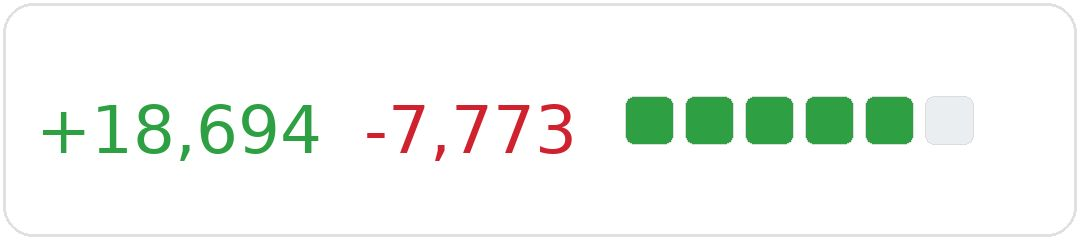
<p><img src="/blog/assets/images/2026-01-19/image.png" alt="GitHub pull request diff showing 18,471 lines added in green and 7,854 lines removed in red, demonstrating extensive code changes" /></p>

<p>My current context engineering process is the result of months of non-stop improvements to my workflow with AI driven development. Each day I try new stuff, big or small. Even with my first blogpost about <a href="/blog/2025/06/12/feature-slicing-ai-augmented-engineering/">feature slicing and ai</a> I was talking about context engineering, even when the term didn’t exist yet, and now, half a year later, I’ve even changed my job title on LinkedIn to context engineer. Recently, I have used it to generate and iterate through thousands of lines of code in a matter of days, all while increasing quality and consistency. So let’s dive into the fundamentals of context engineering.</p>

<p><strong>LLM fundamentals</strong></p>

<p>To be able to successfully context engineer, you need to understand the fundamentals of how LLMs work. An LLM predicts the next word it will generate based on the previous words, also referred to as tokens, in the input it has received. An LLM can only answer with information from pretrained data. This is all text-based data with no fundamental understanding of the world.</p>

<p><strong>What is context engineering?</strong></p>

<p>Context engineering is all about providing your LLM with more information than the pretrained data. Tools have, and continue to, evolve rapidly, but the core fundamentals have stayed mostly the same. It has been enhanced massively by the recent growth in agent related tools. Most of these fundamentally serve the purpose of context engineering. Instead of providing all of the context in a single prompt, you can now have the agent gather context for itself. When an LLM generates text, it is itself providing context for the next token it will generate. By chaining these generations together, you can have the LLM describe context for itself. Agents make good use of this by having multiple steps to gather context, plan work, execute work and review work. This is why I still prefer to use the Claude 4.5 Sonnet model, as it tends to generate a lot more output without further prompting.</p>

<p><strong>Core cycle of context engineering</strong></p>

<p><strong><em>Define the goal</em></strong></p>

<p>Whatever I am prompting, I always start with defining a clear goal. What do I want to achieve? This is the most important part of context engineering. If you don’t know what you want, you can’t expect the LLM to help you. Be very specific. The more specific, the better. As this is the first context you are providing, it will always be a focus point for the LLM. Everything else you provide will be interpreted in the light of this goal.</p>

<p><strong><em>Always follow a plan</em></strong></p>

<p>The next step after defining the goal is ensuring the agent has a clear plan to achieve it. Github Copilot’s introduction of Plan mode as their first agent feature highlights this importance. This is not a coincidence. A clear plan helps the LLM to structure its thoughts and actions. It also helps to break down complex tasks into smaller, manageable steps with consistent results.</p>

<p><strong><em>Execute the work</em></strong></p>

<p>Once you have a goal and a plan, you can have the agent execute its defined work. If you are unsure about the results it will produce, you can always ask the agent to include examples of what it will produce. This will help you to understand if the agent is on the right track before it produces a lot of work that you might not want.</p>

<p><strong><em>Review and improve</em></strong></p>

<p>Review whatever work the agent has done. If it is not satisfactory, provide feedback and have it improve the work. Sometimes providing feedback is enough. Other times you need to rework your original prompts to provide more context or clarity. I always aim for the classic 80/20 rule: get about 80% correctness on what I want in the first iteration. After that I can adjust with feedback and improvements.</p>

<p><strong>Shift-left control</strong></p>

<p>Proper context engineering helps you stay in control of what the agent is doing. Similar to how shift-left in software development moves testing and quality checks earlier in the development cycle, context engineering allows you to add human-in-the-loop checkpoints before the agent executes work. By reviewing and controlling what the agent is going to do at the next step, rather than only reviewing after completion, you can prevent wasted effort and maintain direction. This helps avoid the frustration of completely repeating your prompts in endless cycles of ‘no, do this instead’. This will also help you stay within your premium token limits.</p>

<p><strong>Context engineering through custom agents</strong></p>

<p>Custom agents have turbocharged context engineering. Instead of having to repeat plans and goals in every prompt, I can now have predefined agents to provide the necessary guidance. It also makes the output way more consistent. When utilized correctly, I have successfully created refined user stories and implemented them with only a handful of extra sentences to guide the agent. To make the behaviour of all the agents more consistent, I started with an agent that creates other agents. This meta-agent ensures that all agents follow the same structure and guidelines. This has made it way easier to manage multiple agents for different tasks. You can use this agent yourself by checking out my <a href="https://github.com/danielstegeman/Agentic-development-examples/blob/main/.github/agents/agent-curator.agent.md">Agentic development examples Github</a>.</p>

<p><strong>Limitations</strong></p>

<p>Context engineering is not a silver bullet. There are still limitations to what LLMs can do. They can only work with text-based data. It is hard to context engineer for: “My Windows process is stuck and shows no errors”, so you have to know when you have to solve a problem the old fashioned way.
They also have a limited context window. This means that if you provide too much context, the LLM will start forgetting things and possibly contradict itself. This is commonly referred to as Context Degradation Syndrome. Claude 4.5 has a token limit of 400 000, but degradation will occur well before that. This can be remediated by using multiple subagents, more on this in a later blog. 
Additionally, LLMs can sometimes still produce incorrect outputs, even if the context has been carefully curated. This is why the review and improvement step is crucial in the context engineering process. Staying critical of the output all the time can be difficult. Luckily, teammates will still happily point out when you have been vibe coding a little too much.</p>

<p><strong>Conclusion</strong></p>

<p>Context engineering is a fundamental skill for anyone looking to leverage LLMs and AI agents effectively. By defining clear goals, following structured plans, executing work, and reviewing outputs, you can harness the full potential of AI-driven development. Custom agents further enhance this process by providing consistent behavior and reducing the need for repetitive prompts. Embrace context engineering to stay in control and achieve your desired outcomes efficiently.</p>]]></content><author><name>Daniël Stegeman</name><email>Connect via LinkedIn</email></author><category term="general" /><category term="ai" /><category term="architecture" /><category term="context-engineering" /><category term="ai-agents" /><category term="software-development" /><category term="prompts" /><category term="llm" /><summary type="html"><![CDATA[These days I only manually edit a line of code here or there on rare occasions. It’s not because I have switched to being a Product Owner, but rather because Copilot is doing almost all of it. I have never written (and deleted) so many lines of code before. To me, it is the most agile way of making software right now. It lets me iterate fast, gather feedback and improve software. In my experience, it has been incredibly effective. That’s why I am always incredibly surprised to hear people discarding AI saying: “It never does what I want!” My response is always: “You need to invest more in context engineering.” In this blogpost, I’ll explain how to get the most out of context engineering and share how to utilize agents to further enhance your capabilities. You can find some examples of my context engineering prompts and agents on my Agentic development examples Github.]]></summary><media:thumbnail xmlns:media="http://search.yahoo.com/mrss/" url="https://danielstegeman.github.io/blog/assets/images/2026-01-19/image.png" /><media:content medium="image" url="https://danielstegeman.github.io/blog/assets/images/2026-01-19/image.png" xmlns:media="http://search.yahoo.com/mrss/" /></entry><entry><title type="html">The bumpy road to a fully agentic development cycle</title><link href="https://danielstegeman.github.io/blog/2025/12/08/bumpy-road-to-ai-wow/" rel="alternate" type="text/html" title="The bumpy road to a fully agentic development cycle" /><published>2025-12-08T10:00:00+00:00</published><updated>2025-12-08T10:00:00+00:00</updated><id>https://danielstegeman.github.io/blog/2025/12/08/bumpy-road-to-ai-wow</id><content type="html" xml:base="https://danielstegeman.github.io/blog/2025/12/08/bumpy-road-to-ai-wow/"><![CDATA[<p>The AI agent hype is everywhere. Demos show stunning results: agents writing entire features, refactoring codebases, even debugging production issues. I experienced this myself with agentic software development on a relatively straightforward Azure DevOps pipeline, the results were impressive enough to write about. However, scaling these proof-of-concept successes to a second, vastly more complex pipeline spanning multiple sprints has revealed a more nuanced reality. Striving for a fully agentic development cycle does not only bring technical limitations, it forces us to rethink fundamental assumptions about the software development lifecycle itself.</p>

<p>My recent experience applying agentic development to this complex pipeline project, combined with insights from pioneers at QCon, has exposed critical challenges that were invisible when working on the simpler first pipeline. The most surprising realisation? Many of these challenges are not new at all. They are the same problems we have always faced with human developers, just amplified and made more visible by AI agents.</p>

<h2 id="from-prototype-to-production-the-scaling-challenge">From prototype to production: the scaling challenge</h2>

<p>The transition from a straightforward pipeline to a complex multi-stage deployment workflow is not just a matter of “doing more of the same.” What worked brilliantly for the first pipeline becomes unwieldy when the scope expands. The agent that confidently implemented a simple test pipeline suddenly loses track of architectural decisions across multiple environments, approval gates, and intricate dependency chains. Adapting a larger high-level-design to new design insights became difficult. Re-establishing a context in the middle of some refactoring work caused fixation on the wrong code. Context that fit comfortably in a chat session for a two-day pipeline becomes overwhelming noise for a multi-sprint implementation.</p>

<p>At QCon, I heard someone capture this perfectly: “2025 is the year of agents. 2026 will be the year of context engineering.” This resonated deeply with my experience. The bottleneck is not the agent’s ability to write code, it is our ability to provide the right context at the right time.</p>

<h2 id="context-engineering-finding-the-sweet-spot">Context engineering: finding the sweet spot</h2>

<p>Context is at the center of enabling a fully agentic development process, but there is a critical balance to strike. Too little context and the agent makes incorrect assumptions or asks endless clarifying questions. Too much context and the agent drowns in details, forgetting key architectural decisions or missing the bigger picture entirely.</p>

<p>I have observed this pattern repeatedly. When I provide a comprehensive design document with every architectural decision, the agent fixates on implementation details and loses sight of the overall goal. When I provide only a user story, it makes questionable architectural choices that require extensive rework. The sweet spot lies somewhere in between, but finding it requires experimentation and iteration.</p>

<p>This is one of the most fundamental challenges facing agentic development at scale. We need new patterns for structuring context that help agents maintain the right level of abstraction while still having access to necessary details. The solution is not just technical, it requires rethinking how we organize and communicate information throughout the development lifecycle.</p>

<p>Amazon recently introduced a standard operating procedures framework for agentic workflows, recognizing this exact challenge. Just as humans rely on SOPs to maintain consistency and quality in complex processes, AI agents benefit from the same structured guidance. The parallel is striking: both humans and agents perform better with clear, documented procedures that provide the right context at the right time.</p>

<h2 id="the-development-cycle-adaptations">The development cycle adaptations</h2>

<p>Most current development processes rest on a fundamental assumption: writing code is time-consuming and expensive relative to planning and documentation. Agentic development fundamentally changes this relationship. The cost of implementation is rapidly moving towards zero.</p>

<p>This shift has profound implications for how we work. The agile principle “working software over comprehensive documentation” becomes more relevant than ever. In a world where an agent can generate working software in minutes, we can explore ideas through implementation rather than extensive upfront planning. Most of the development cycle now happens within a chat session with your agent. When paired with fast continuous delivery, you can gather feedback from end users even faster than before.</p>

<p>This even shorter feedback cycle allows developers to accelerate their “fail fast” approach. At Anthropic, this way of developing was used to great success for refining their console input module. Agents allowed them to resolve numerous edge cases reported by Claude CLI users with remarkable speed, iterating through solutions that would have taken much longer in traditional development cycles.</p>

<p>Agentic development opens the door to new possibilities. How many times have you compromised end user value for the sake of reusing an existing solution, even though you knew it did not fully fit your use case? Agents allow you to experiment rapidly with complex abstractions fully tailored to your specific needs. In my own work on the Azure DevOps pipeline, I used Copilot to create complex logic to parse JSON and load it into pipeline variables. JSON allowed a far better configuration structure than the default YAML variable notation in pipelines. This is something that would have taken many days to experiment with and iterate on without AI assistance. Without it, I would have settled for an easier but compromised solution that would have made the configuration harder to maintain.</p>

<h2 id="new-technology-old-problems">New technology, old problems</h2>

<p>Many of the challenges we face with agentic development are not new. Humans and LLMs have more in common than you might think. The problems are just more exaggerated and visible with AI agents. For instance, people also make mistakes when missing context or being overwhelmed with it. We are just better at managing context in our minds, filtering relevant from irrelevant information on the fly.</p>

<p>This realization is both humbling and encouraging. We already have safeguards in place to mitigate these shortcomings: code reviews catch mistakes from insufficient context, tests verify behavior regardless of how code was written, static analysis enforces standards consistently. These safeguards were designed for human developers but apply equally well to agent-generated code.</p>

<p>However, we should not assume existing safeguards are sufficient. Even with human developers, our processes are not perfect. Incidents and bugs still happen. Reviews miss issues, tests have gaps, analysis tools produce false positives that get ignored. The difference is that agents can produce code faster than our review processes were designed to handle. A human might write 200 lines of code per day. An agent might write 2000. Can our review processes scale accordingly?</p>

<p>The answer is probably not without adaptation. But the adaptation required is not revolutionary. It is evolutionary. Better automated testing, CI/CD, more sophisticated static analysis, clearer architectural guidelines that agents can follow. Many organizations are already moving in this direction for human developers. Agentic development just accelerates the urgency.</p>

<p>Research from Sonar highlights why we cannot simply wait for better models to solve these problems. Their analysis showed that newer models actually exhibited regression in some areas of code generation compared to earlier versions. We cannot rely on model improvements alone to address the challenges of agentic development. The solution lies in adapting our processes, not waiting for perfect AI.</p>

<h2 id="looking-forward-the-human-element-remains-central">Looking forward: the human element remains central</h2>

<p>The bumpy road to fully agentic development is revealing something important: the technology is not the primary constraint. The constraint is our ability to structure problems, communicate context, and maintain architectural coherence at scale. These are fundamentally human skills.</p>

<p>As we move into 2026 and the era of context engineering, success will depend on our ability to adapt our processes and architectures for collaboration with AI agents. This means rethinking documentation practices, developing new patterns for context structuring, and evolving our safeguards to handle the increased velocity of agent-generated code.</p>

<p>The exciting part? We are not starting from zero. The problems are familiar, just amplified. The solutions will build on practices we already know work. And the potential gains in productivity and capability are substantial enough to make the bumpy journey worthwhile. The road ahead is challenging, but the destination, a development process that truly leverages both human insight and AI capability, is worth reaching.</p>]]></content><author><name>Daniël Stegeman</name><email>Connect via LinkedIn</email></author><category term="general" /><category term="architecture" /><category term="ai" /><category term="ai-agents" /><category term="agile" /><category term="way-of-work" /><category term="copilot" /><category term="llm" /><category term="documentation" /><category term="feature-design" /><category term="context-engineering" /><summary type="html"><![CDATA[The AI agent hype is everywhere. Demos show stunning results: agents writing entire features, refactoring codebases, even debugging production issues. I experienced this myself with agentic software development on a relatively straightforward Azure DevOps pipeline, the results were impressive enough to write about. However, scaling these proof-of-concept successes to a second, vastly more complex pipeline spanning multiple sprints has revealed a more nuanced reality. Striving for a fully agentic development cycle does not only bring technical limitations, it forces us to rethink fundamental assumptions about the software development lifecycle itself.]]></summary></entry><entry><title type="html">Multiverse Development Cycle with AI Agents</title><link href="https://danielstegeman.github.io/blog/2025/10/09/multiverse-development/" rel="alternate" type="text/html" title="Multiverse Development Cycle with AI Agents" /><published>2025-10-09T10:00:00+00:00</published><updated>2025-10-09T10:00:00+00:00</updated><id>https://danielstegeman.github.io/blog/2025/10/09/multiverse-development</id><content type="html" xml:base="https://danielstegeman.github.io/blog/2025/10/09/multiverse-development/"><![CDATA[<p>For decades, the software development lifecycle has followed a well-established, linear path. Whether using waterfall, agile, or DevOps-inspired approaches, the process typically moves step by step: requirements are gathered, designs are created, code is implemented, tests are written and executed, and finally, the product is deployed and maintained. Each phase is expected to build on the previous one, with clear boundaries and plenty of review in between.</p>

<p>However, in practice, this process is sometimes far from perfect. How often have you meticulously followed all the steps, only to discover during implementation that your analysis and design are technically unfeasible? Or that acceptance tests reveal completely unexpected requirements? Agile methodology attempts to solve this by making cycles shorter and work increments smaller.</p>

<p>Today, however, the rise of AI-powered tools and agentic workflows is challenging this fundamental assumption. What if development didn’t have to be a straight line from start to finish? What if, instead, we could move fluidly between any stage, or even work on multiple phases at once? When you fully incorporate agentic AI into your way-of-work, your team becomes much more agile.</p>

<h2 id="everything">Everything</h2>
<p>When ChatGPT first launched, developers quickly began using it to write code. As LLMs have evolved and improved, they’ve expanded into every other stage of development. I now use Copilot to help formulate user stories and create designs daily. Each development stage builds context that feeds AI agents with richer information. In a <a href="/blog/2025/06/12/feature-slicing-ai-augmented-engineering/">previous blog post</a> I used a feature design document to generate the implementation. But AI was not used when writing the design document or refining the user story before that. Using AI agents at every stage in isolation also limits their effectiveness. You are limited by the context you provide in your prompt.</p>

<p>Using AI agents at every stage is just the beginning; you can also leverage them to transition seamlessly between stages.</p>

<h2 id="everywhere">Everywhere</h2>

<p>AI agents can review gaps between stages and evaluate whether changes were deliberate decisions or oversights. Traditional linear processes rely on human gatekeepers before stage transitions, but AI enables bidirectional validation. This achieves the ultimate goal of any other agile process: to shorten the feedback cycle.</p>

<p>As moving between stages becomes easier, each stage’s focus shifts from rigid process to flexible perspective. Linear development often brings new insights, particularly when working with unfamiliar products or tech stacks. Why not leverage these insights to revisit earlier processes and adapt your acceptance criteria based on implementation discoveries?</p>

<p>To facilitate these perspectives, I have created chat modes to reflect each viewpoint. Refinement mode reviews or adapts the user story by looking at other stages. Architect mode does the same for the design. I have not yet found a need for an implementation chat mode, as that seems to come naturally to the GitHub Copilot Agent.</p>

<p>During recent development work, I encountered constraints that necessitated design changes. This even sparked renewed discussions about acceptance criteria, criteria that had supposedly been discussed and team-approved. I found myself repeatedly switching between analysis, design, and implementation. Each decision point offered multiple perspectives on the problem for reference. Copilot helped identify gaps between analysis, design, and implementation, giving me moments to distinguish between deliberate changes and forgotten details.</p>

<p>Now we have explored the transition between stages, let’s fully enter the Multiverse Development Cycle.</p>

<h2 id="all-at-once">All at Once</h2>
<p>Context drives everything in AI. By moving fluidly between development stages, you build comprehensive context that enables adaptation with increasing ease and consistency. Documentation and implementation no longer drift apart when requirements change or uncertainties arise. A few carefully engineered prompts keep everything synchronized. Multiple perspectives contribute to a unified state, while that unified state informs multiple perspectives. With thorough context, your AI agent can completely re-implement code from design specifications at will. We have now entered a true multiverse development cycle, where every stage runs in parallel and development is at every stage at once. When you fully adapt to this new way of working, there are many advantages:</p>

<p>Instead of having a separate proof of concept to develop features with technical uncertainty, this work can now be incorporated directly into the implementation stage of the development cycle. The proof of concept can be used to inform the design and analysis stages. Rather than discarding a proof of concept, you now have your first iteration of a feature.</p>

<p>This new cycle also streamlines the review process, allowing team members to focus more deeply on their own work. Rather than pausing for feedback after every stage, you can move through the full multiverse cycle once or twice, then gather targeted input from your team before finalizing.</p>

<p>Another key benefit is the ease of keeping documentation up to date. When design changes arise during implementation, AI makes it simple to update documentation with a prompt, ensuring everything stays aligned.</p>

<p>By abandoning a strictly linear approach, you gain the flexibility to reconstruct forgotten user stories from existing implementation and tests. This enables you to evaluate and refine requirements as needed, keeping your process adaptive and resilient.</p>

<p>Instead of estimating and planning a feature from start to finish in a sprint, you can split your work into multiple timeboxed iteration cycles, allowing for moments of review in between. Rather than agreeing on any single stage, you focus on the end result.</p>

<p>By fully embracing an AI-augmented development cycle, your team can achieve a level of agility and adaptability that surpasses what traditional frameworks offer.</p>]]></content><author><name>Daniël Stegeman</name><email>Connect via LinkedIn</email></author><category term="general" /><category term="architecture" /><category term="ai" /><category term="ai-agents" /><category term="agile" /><category term="way-of-work" /><category term="copilot" /><category term="llm" /><category term="documentation" /><category term="feature-design" /><category term="iteration" /><category term="context" /><category term="validation" /><summary type="html"><![CDATA[For decades, the software development lifecycle has followed a well-established, linear path. Whether using waterfall, agile, or DevOps-inspired approaches, the process typically moves step by step: requirements are gathered, designs are created, code is implemented, tests are written and executed, and finally, the product is deployed and maintained. Each phase is expected to build on the previous one, with clear boundaries and plenty of review in between.]]></summary></entry><entry><title type="html">How Feature Slicing and AI-Augmented Engineering Reinforce Each Other</title><link href="https://danielstegeman.github.io/blog/2025/06/12/feature-slicing-ai-augmented-engineering/" rel="alternate" type="text/html" title="How Feature Slicing and AI-Augmented Engineering Reinforce Each Other" /><published>2025-06-12T12:00:00+00:00</published><updated>2025-06-12T12:00:00+00:00</updated><id>https://danielstegeman.github.io/blog/2025/06/12/feature-slicing-ai-augmented-engineering</id><content type="html" xml:base="https://danielstegeman.github.io/blog/2025/06/12/feature-slicing-ai-augmented-engineering/"><![CDATA[<p>In a field where developments follow each other at a rapid pace, it’s not uncommon for two seemingly independent trends to unexpectedly strengthen one another. This is the case with the concept of feature slicing and the rise of AI-augmented engineering. AI tools like GitHub Copilot benefit from the advantages of feature slicing while also compensating for some of its drawbacks. I’ve experimented with this in my current project — with surprisingly strong results.</p>

<h2 id="feature-slicing">Feature Slicing</h2>

<p>Software development ultimately revolves around the functional requirements of an application. So why not align the architecture accordingly? Instead of spreading functionality across application layers, feature slicing focuses on co-location: all code related to a functional requirement is grouped together — ideally in the same folder, or even the same file. Like any architectural concept, this comes with both benefits and drawbacks.</p>

<h3 id="code-co-location">Code Co-location</h3>

<p>One of the biggest advantages of feature slicing is that all code related to a feature is located in a single place. This makes it much easier for developers to find and modify the right code when changes are needed. There’s no longer a need to search across multiple projects or folders. Feature isolation also helps minimize the potential side effects of changes.</p>

<p>AI tools enjoy nearly the same benefits. An AI agent has less code to sift through when making changes. It also doesn’t need to modify unrelated code when implementing new features. As a result, the risk of an agent unintentionally breaking another feature is reduced. You can even drop an entire feature file into the AI chat window for processing.</p>

<p>Unfortunately, co-location also brings some challenges for developers. Feature slicing sometimes clashes with the DRY (Don’t Repeat Yourself) principle. A lot of boilerplate code may be needed to make a feature fully independent. It’s also generally discouraged to share functional logic between features, which can lead to duplicated code. This can be partially mitigated by placing domain logic outside of individual features.</p>

<p>However, AI can make code duplication virtually effortless. If you’re not writing the repeated code yourself, is it really still bad practice? Ultimately, it’s up to you to strike the right balance.</p>

<h2 id="feature-design-documents-as-prompts">Feature Design Documents as Prompts</h2>

<p>If you value documentation, you’ll probably already document each feature in a feature design document. You can create your own standard template for this, which typically includes:</p>

<ul>
  <li>Feature name and description</li>
  <li>Context of the feature</li>
  <li>Design</li>
  <li>Error handling</li>
  <li>Test plan</li>
  <li>Authorization</li>
</ul>

<p>A thorough design document makes implementing a feature much easier — most of the thinking is already done. Once documented, it also serves as a ready-to-use AI prompt. The better the design document, the better an AI agent can execute it — and you’re left with excellent documentation as a bonus.</p>

<h2 id="optimizing-prompt-context">Optimizing Prompt Context</h2>

<p>In a feature slice architecture, you can fully tailor each feature to meet its specific needs. In practice, however, it helps to define conventions for how different feature types are structured. This provides clarity for developers and improves code quality.</p>

<p>Once you’ve documented these conventions, you also have a context file you can give to an AI agent. While AI tools are getting better at understanding your environment, providing that context explicitly still produces better results.</p>

<p>In my current project, I created a prompt context file for this purpose. This file describes what a standard API endpoint feature should look like. With that guidance in place, collaboration with AI has become more consistent and efficient.</p>

<p>The context includes, among other things:</p>

<ul>
  <li>Project structure with folders and naming conventions</li>
  <li>Database setup</li>
  <li>Description of a feature file</li>
  <li>Example feature implementation</li>
  <li>Description of a standard test class</li>
  <li>Example test</li>
</ul>

<p>If you notice the AI agent frequently making mistakes — like choosing the wrong mocking library — you can include those clarifications in the context file. How specific you need to be depends heavily on the AI model you’re working with.</p>

<h2 id="results">Results</h2>

<p>In my project, I used the method described in this article to implement a series of basic CRUD features for a new database entity. Due to their relatively low complexity, these types of features are excellent candidates for AI implementation.</p>

<p>It started with copying and pasting the context file and the feature design into Copilot’s chat window. After some iteration on the context, I was able to use Copilot’s edit mode to generate the entire feature implementation. This was even before the Copilot Agent mode was available in preview — which will make this approach even more effective in the future.</p>

<p>After experimenting, I reviewed and tested the code. Only minor adjustments were needed. In fact, one of the changes I made turned out to be incorrect — Copilot had interpreted the feature design document more accurately than I had.</p>

<p>As a result, I spent roughly 30–50% less time on these features than if I had implemented them manually. That means less time on repetitive, simple programming tasks — and more time for solving the interesting problems.</p>

<h2 id="conclusion">Conclusion</h2>

<p>The combination of feature slicing and AI-augmented engineering creates a powerful synergy. Feature slicing provides the architectural foundation that AI tools can work with more effectively, while AI tools help overcome some of the traditional drawbacks of feature slicing, such as code duplication.</p>

<p>By creating standardized feature design documents and prompt context files, you can establish a workflow that leverages the strengths of both approaches. The result is faster development of routine features, leaving more time for the complex, creative aspects of software engineering that truly require human insight.</p>]]></content><author><name>Daniël Stegeman</name><email>Connect via LinkedIn</email></author><category term="technical" /><category term="software-architecture" /><category term="feature-slicing" /><category term="ai" /><category term="github-copilot" /><category term="software-engineering" /><category term="architecture" /><category term="productivity" /><summary type="html"><![CDATA[In a field where developments follow each other at a rapid pace, it’s not uncommon for two seemingly independent trends to unexpectedly strengthen one another. This is the case with the concept of feature slicing and the rise of AI-augmented engineering. AI tools like GitHub Copilot benefit from the advantages of feature slicing while also compensating for some of its drawbacks. I’ve experimented with this in my current project — with surprisingly strong results.]]></summary></entry></feed>