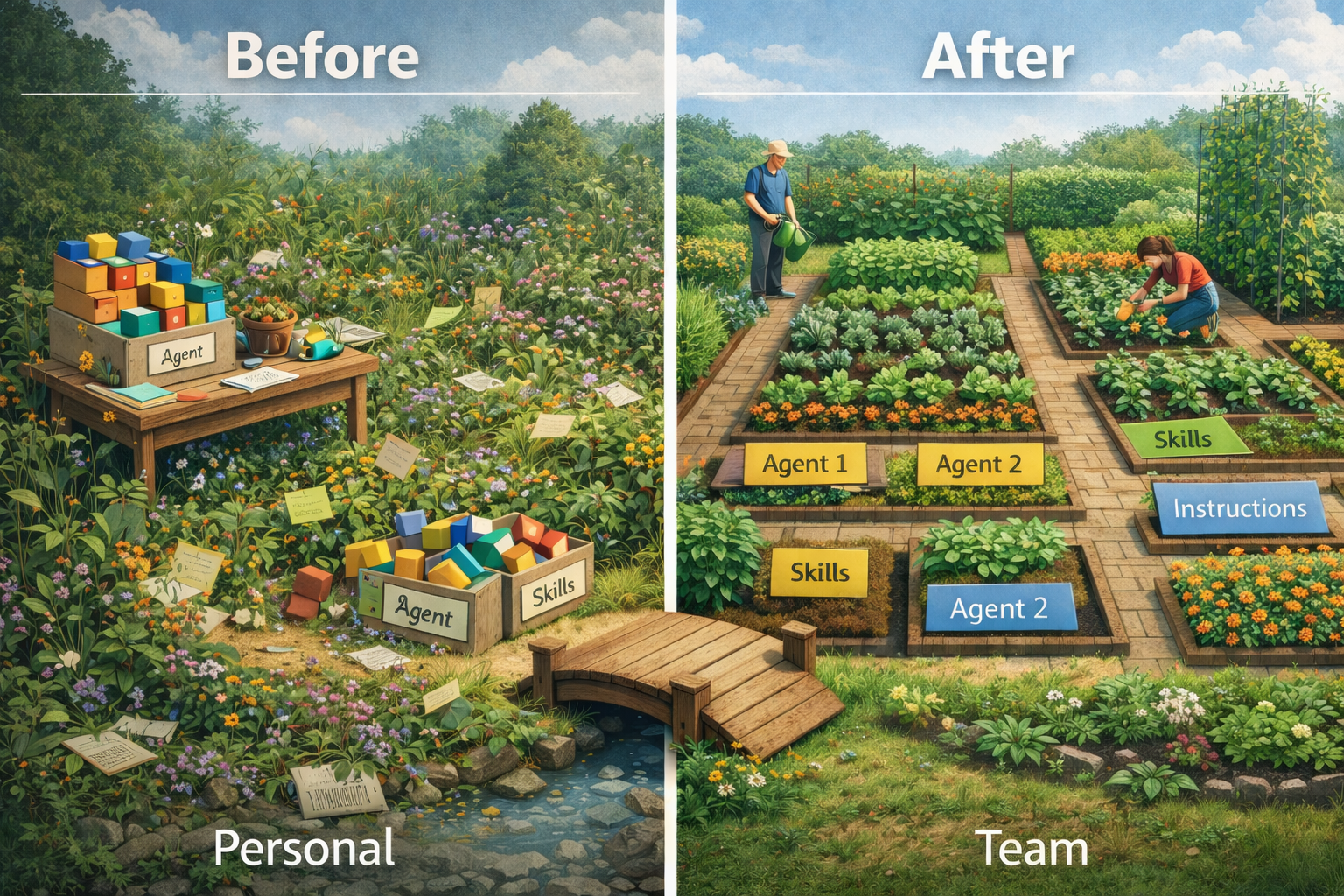
As agentic development gains an ever stronger foothold in my personal development workflow, I have started to run into issues with managing all my different agent files, skills and instructions. I like to move fast and experiment with different approaches, which means I have a lot of different kinds of agents, instructions and skills that I want to keep track of.
However, I am still working within a single repository used by many more than myself. Keeping them in a separate branch is a hassle when switching often and can lead to accidental merges. But fully including them in the merge process is also not ideal, as they are often in a state of flux and not ready for use by others.
I would definitely agree that you should not just check in any old crap into the main branch. But reviewing and perfecting them each time is also not ideal, as I will have evolved them further by the time they are ready for use. Also, not everyone is on the same skill level when it comes to agentic development.
So I have been in search for answers to these problems for a while now. I think it comes down to organising the Copilot workspace with some specific considerations in mind.
Copilot folder structure
Months ago, when GitHub Copilot was still quite new, you had to put all your agents (chat modes back then), instructions and prompts in the ./github folder in your repository. I had never questioned that structure until I started running into the aforementioned problems. But it turns out, you can actually have a folder outside of the repository to be used for agents and skills. But why only those two? Why not also instructions and prompts? That made me start to think some more about the actual purpose of each of the different types of files.
Personal workflow vs team processes
This discovery led me to reconsider the fundamental purpose of each file type. I think the main consideration on where a Copilot customization fits, is whether it is part of your personal workflow, or whether it is something that follows an established team process. If it is the former, it should be kept outside of the repository. If it is the latter, it should be kept inside of the repository and agreed upon by the team. This is not a hard rule, but I think it is a good starting point for deciding where to put what.
So let’s look at the different types of files and see where they fit in this consideration.
Prompts
Prompts are one of the oldest types of customization for Copilot. They were around before agentic development was even a thing. I consider them to be pretty obsolete in the year of Context Engineering. There is nothing you cannot achieve with any of the other types, so I don’t use them anymore.
Instructions
Instructions are a more recent addition to the Copilot customization options. I think of these files as a good place to put general guidelines on how to write the code. This is something that is part of the team process, so it should be kept in the repository. You already have at least some established coding conventions, even if they are not documented. Putting them in an instruction file makes them more explicit and easier to follow for everyone, including AI agents.
Agents
Until now, I have mostly used agents for defining behaviour and context. But now I have started using skills for reusable context, I have started to see agents more as a place to orchestrate behaviour. These have been the biggest topic of discussion in my team. The workflow they contain is very personal, so there is no correct definition. It defines how the agent has to work and present information in a way that is most useful to me, so I can control that it does what I want it to do. Over time, the best aspects of personal workflows can be adopted by the team and become part of the team process. Then, you can take those aspects and put them in the instructions or skills. This gives you a scoped piece of the workflow, without needing every detail to be perfect.
Skills
Skills are the newest type of customization for Copilot. Anthropic originally introduced them for Claude, and they have since been adopted by GitHub Copilot as well. To me, this is a modern variant of the old prompts. They are a good place to put reusable pieces of context or instructions that can be easily called by agents. Skills can be part of your personal workflow or team processes, depending on their purpose and usage. If a part of your personal workflow is shared by more agents, it can be put in a personal skill. Like having the agent review your code like Gilfoyle from Silicon Valley. When it is an established part of the team process, like how to refine a user story or how to write a test, it should be put in a team skill.
Organizing for evolution
The key insight is that Copilot customizations should be organized by their scope and stability. Personal workflows and experimental approaches belong outside the repository where they can evolve freely. Team processes and established conventions belong inside the repository where they can be reviewed and agreed upon collectively.
Now that I have this framework, I am going to rewrite my agents to use more, smaller skills. This will make them more modular and easier to maintain. It will also make it easier to share the best parts of my personal workflow with the team, without needing to share every detail. As teams increasingly adopt agentic development, having this clear separation will become essential for managing the complexity that comes with it. My current agents have served me well, but it is time to put them on a diet.